

CUSTOM ORDER PORTAL
A 15-year-old system, rebuilt around how the team works
BUSINESS
Branded merchandise
WHERE
Perth
WHAT I DID
Build + Simplify

IT STARTED WITH
We’re using a 15-year-old system to collate multiple individual orders.
WHAT I BUILT
Build. A new order system, built from scratch, that does everything the old one did.
Simplify. Plus the things they’d been asking for, set up around how the team runs each campaign.
SOME OF WHAT THEY ASKED FOR

✓
Change one client’s look without changing everyone’s.
Every campaign now has its own colours, logo & font.
✓
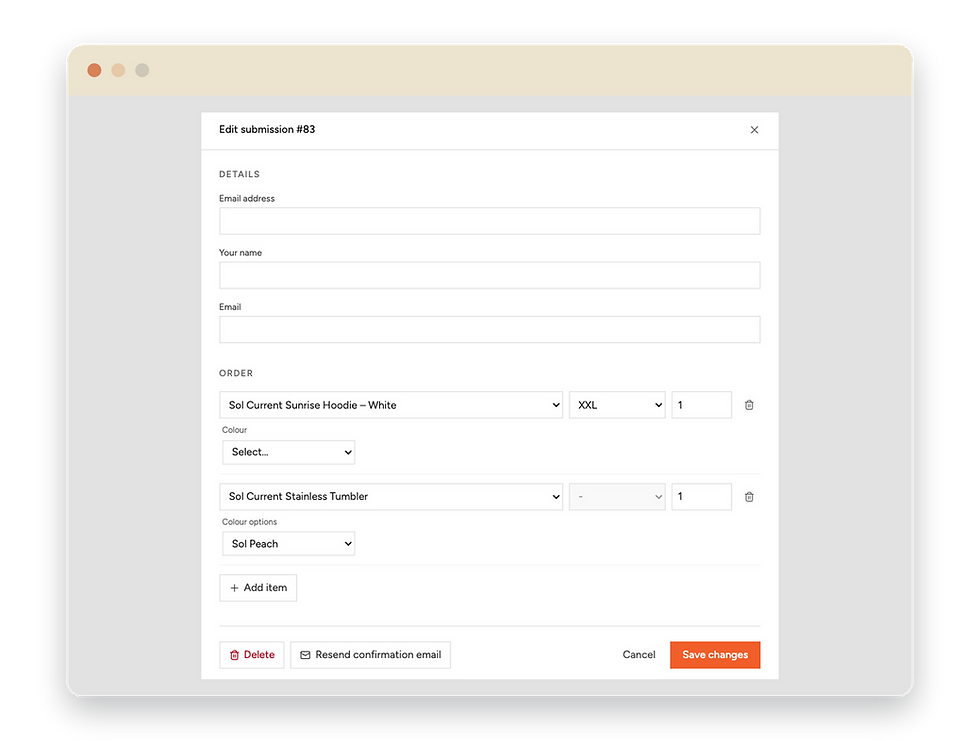
Fix an order without starting again.
Staff can change a size or item & resend the confirmation.
✓
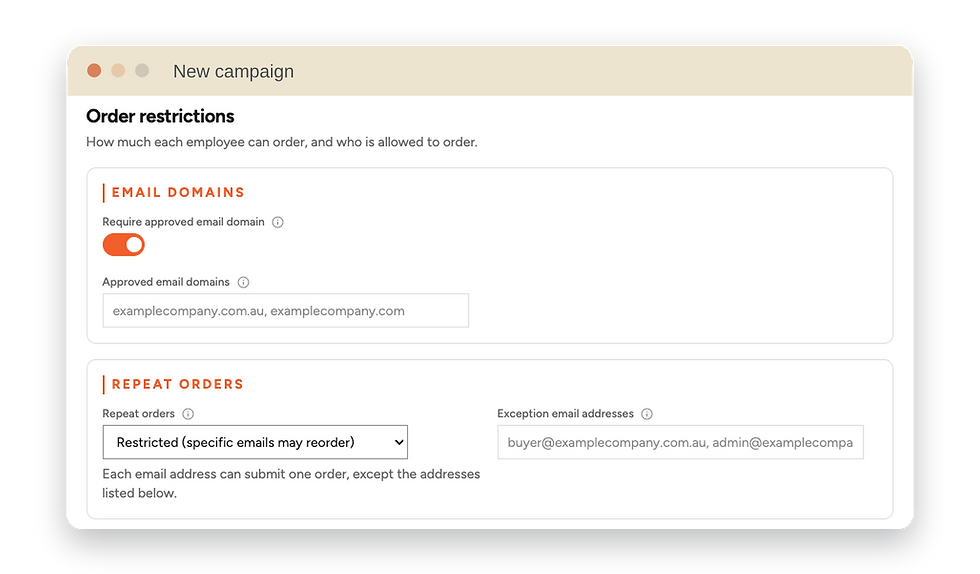
Let some people order more than once.
Orders stay limited to approved emails, with exceptions for someone ordering for their team.
✓
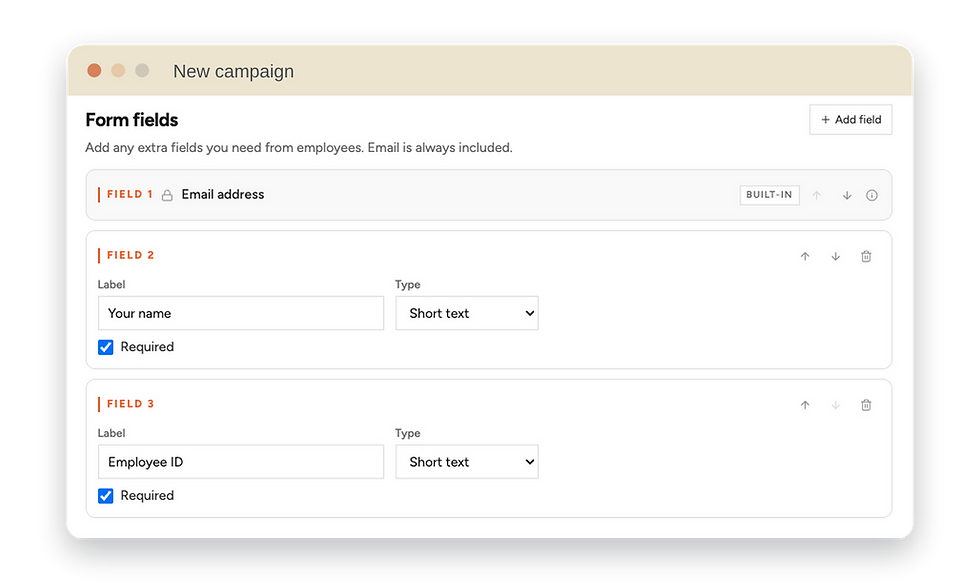
Make key details a must.
Fields like an ID number can be required before anyone submits.
WHO IT HELPS
Tangibility’s team
-
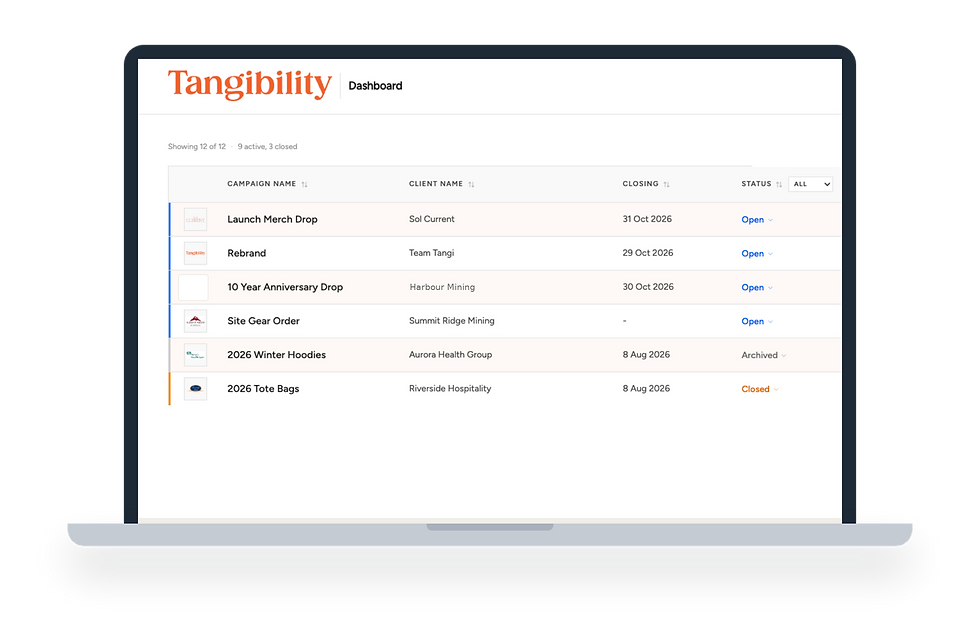
Every campaign’s status in one place, from draft to ordered
-
Each campaign’s password one click away
-
Prices shown inc GST, ex GST or GST free, per campaign

Their clients
-
Order pages & confirmation emails in their own branding
-
Men’s & women’s sizes in one product
-
One spreadsheet of every item, size & quantity, ready to approve
The people ordering
-
Works on their phone
-
A simple, secure card checkout
-
A clear email listing exactly what they ordered

FOLLOW ALONG TO SEE HOW ONE ORDER FLOWS

Staff set up each campaign in the client’s own branding.
1
Customers order & pay online.
2
A confirmation email sends itself.
3
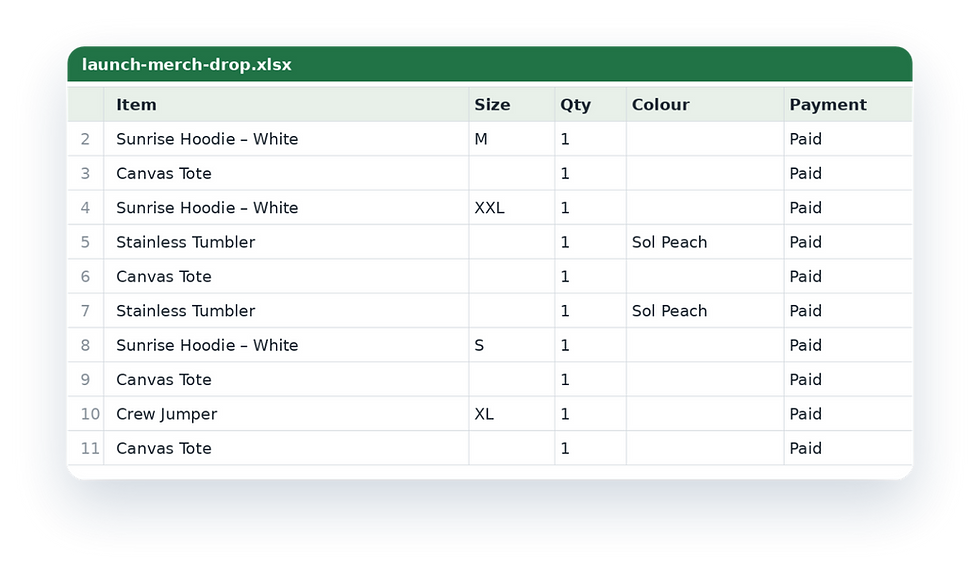
The team exports every order in one go.
4
Pick the colours, logo & font, and the preview shows exactly how the client’s order page will look.
Each campaign gets its own branded order page. Customers add their details, pick their items & check out.
Every customer gets a branded email listing exactly what they ordered.
One spreadsheet with every item, size & quantity, ready for approval & ordering.
From a new campaign to a finished order list.

✓
And the team knows how it all works.
A step-by-step staff guide & a technical handover pack, so they can run the portal without me.
Everything the old system did, plus the things they’d been asking for, in a portal built just for them.
WHAT CHANGED
"Setting up a new campaign used to be a job. Now the team just does it."
NEXT STORY
Ronex Electrical
From no website to one that does the admin.